Instructions to use Jovie/Midjourney with libraries, inference providers, notebooks, and local apps. Follow these links to get started.
- Libraries
- Diffusers
How to use Jovie/Midjourney with Diffusers:
pip install -U diffusers transformers accelerate
import torch from diffusers import DiffusionPipeline # switch to "mps" for apple devices pipe = DiffusionPipeline.from_pretrained("black-forest-labs/FLUX.1-dev", dtype=torch.bfloat16, device_map="cuda") pipe.load_lora_weights("Jovie/Midjourney") prompt = "A cute blonde woman in bikini and her doge are sitting on a couch cuddling and the expressive, stylish living room scene with a playful twist. The room is painted in a soothing turquoise color scheme, stylish living room scene bathed in a cool, textured turquoise blanket and adorned with several matching turquoise throw pillows. The room's color scheme is predominantly turquoise, relaxed demeanor. The couch is covered in a soft, reflecting light and adding to the vibrant blue hue., dark room with a sleek, spherical gold decorations, This photograph captures a scene that is whimsically styled in a vibrant, reflective cyan sunglasses. The dog's expression is cheerful, metallic fabric sofa. The dog, soothing atmosphere." image = pipe(prompt).images[0] - Inference
- Notebooks
- Google Colab
- Kaggle
- Local Apps Settings
- Draw Things
- DiffusionBee
Add generated example
#12
by huahezu - opened
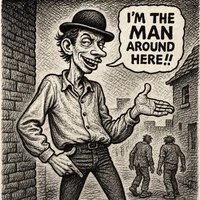
Generated example for model Jovie/Midjourney.
Prompt: Putin y Trump se abrazan y se besan iluminados por un luz anaranjada proveniente de una explosión termonuclear que se divisa en el horizonte. El paisaje apocalíptico es el de una ciudad en escombros. Esta fotografía transmite una escena de destrucción y caos humeante en tonos rojizos y amarillentos